
Video Conferencing Systems in Sacramento CA | Teams Rooms & Zoom Rooms Installation
As a Telecommunications Contractor in Sacramento CA, we install Microsoft Teams Rooms, Zoom Rooms and bring-your-own-device meeting rooms on a network that is cabled, powered and tested for real-time video.
Video calls fail at the weakest link: a camera on Wi-Fi, a switch without enough PoE, a firewall blocking media traffic, or a microphone the far end can barely hear. We install video conferencing systems for offices, schools, medical practices and public agencies across the Greater Sacramento Area, and because we are a C-7 licensed cabling contractor (CSLB #[NUMBER]), the network that carries every call is part of our scope, not someone else’s problem.
Video Conferencing in Sacramento CA Built on a Network That Can Carry It
Hybrid work has turned every meeting room into a video room. Remote participants judge the meeting by what they see and hear, and in-room participants judge it by how quickly it starts. A good video conferencing system gets both right: the meeting joins with one tap, everyone in the room is visible and audible, and shared content appears without adapters or settings menus.
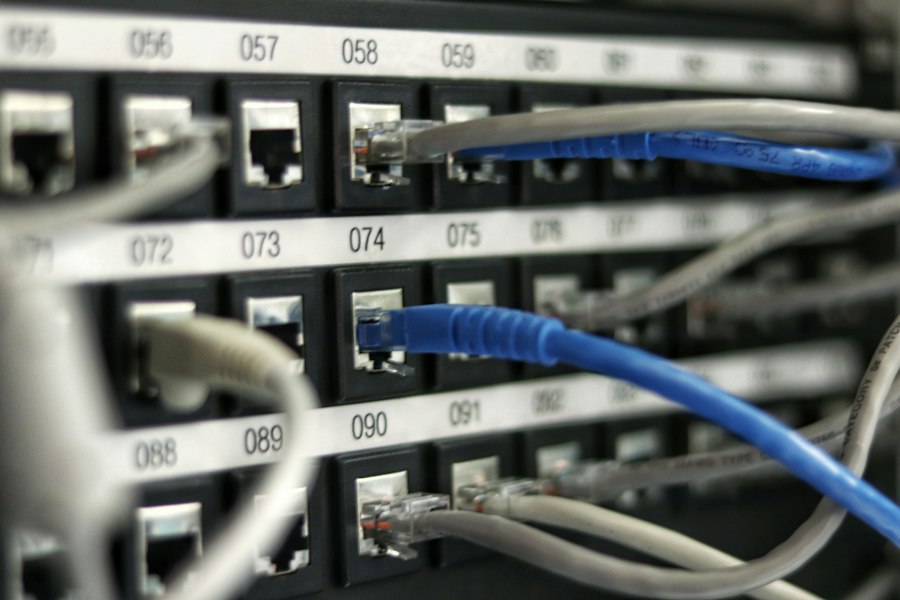
Most video quality problems are network problems. Room systems send continuous, latency-sensitive audio and video, so they need wired connections, adequate upstream bandwidth, PoE for cameras and microphones, and network settings that prioritize real-time traffic. We cable and test that foundation, then install and enroll the room hardware with your IT team so it works from the first call.
For the physical room build, including display mounting, table boxes and speaker placement, we also offer conference room AV installation. This page covers the conferencing system itself and the network it depends on.
Scope for Microsoft Teams Rooms, Zoom Rooms & BYOD Spaces in Sacramento CA
We handle the conferencing hardware, the network connections it needs, and the handoff to your IT team.
Native Platform Kits
Certified Microsoft Teams Rooms, Zoom Rooms and Google Meet hardware kits with compute, touch controller and one-tap calendar join.
BYOD Conferencing
USB video bars and single-cable USB-C connections so users can run any platform from their own laptop.
Cameras & Framing
Video bars, PTZ and multi-camera setups with speaker tracking or auto-framing so remote attendees see who is talking.
Conferencing Audio
Ceiling and table microphones with echo cancellation and noise reduction, tuned so the far end hears every seat clearly.
Network Readiness
Wired drops, PoE+ ports, switch capacity checks and documentation of the platform’s QoS, VLAN and firewall requirements for your IT team.
Enrollment & Handoff
Device setup, enrollment in your management portal, live test calls and short training sessions for staff.
Native Platform Kits vs. BYOD Video Conferencing in Sacramento CA
The right approach depends on which platforms you use and who books the room. Many organizations combine both.
| Native room system | BYOD room | |
|---|---|---|
| How meetings start | One tap on the room touch panel from the calendar invite | User plugs in a laptop and starts the meeting from their own software |
| Platforms | Built for one primary platform, with guest join to others where supported | Any platform the user’s laptop runs |
| Room computer | Dedicated, certified compute in the room | None; the user’s laptop does the work |
| Management | Centrally monitored and updated by IT | Minimal; peripherals update with the laptop |
| Best fit | Main conference rooms and boardrooms used all day | Huddle rooms and rooms that host outside partners |
| Network connection | Wired drop for the room system and PoE ports for peripherals | Wired drop at the table for the laptop is recommended |
Where We Install Conferencing
- Huddle Rooms
- Conference Rooms
- Boardrooms
- Executive Offices
- Hybrid Classrooms
- Training Rooms
- Telehealth Rooms
- Council & Board Chambers
Our Audiovisual Integration Process in Sacramento CA, Step by Step
Discovery and site walk
We confirm your meeting platform, room sizes and how each space is used, then check network drops, PoE capacity and room acoustics.
Room standards and design
We match a system to each room size and document the hardware, camera position, microphone coverage and network ports required.
Itemized quote and IT checklist
You receive a line-item quote plus a network checklist covering bandwidth, QoS, VLAN and firewall items for your IT team to confirm.
Cabling and network prep
We install and certify the data drops, connect PoE devices and verify that every port the room needs is live.
Hardware setup and enrollment
Cameras, microphones, controllers and room compute are installed, updated to current firmware and enrolled in your management portal.
Live call testing and training
We place test calls inside and outside your organization, tune audio, and show staff how to join, share content and end meetings.
Video Call Readiness & Testing Checklist in Sacramento CA
Before we hand off a room, each item below is checked and recorded.
| Check | What we verify | Why it matters |
|---|---|---|
| Wired connections | Certified Cat6 or Cat6A drops for room compute and peripherals | Wi-Fi adds jitter and drops that wired links avoid |
| PoE budget | Switch ports deliver the PoE class each camera, microphone and touch panel requires | Underpowered devices reboot or disconnect mid-call |
| Network settings | QoS, VLAN and firewall rules match the platform’s published requirements, confirmed with your IT team | Blocked or deprioritized media traffic causes frozen video and choppy audio |
| Firmware and certification | All devices on current, platform-certified firmware | Out-of-date devices lose features and support |
| Camera framing | Every seat in frame, auto-framing or tracking working | Remote participants need to see who is speaking |
| Audio quality | Microphone coverage, echo cancellation and speaker levels tuned on live calls | Poor audio is the most common reason meetings fail |
| Content sharing | Wired and wireless sharing tested from Windows and Mac laptops | Sharing should work without adapters or help desk calls |
Conferencing Systems for Sacramento CA Organizations
Offices
Standardized Teams Rooms or Zoom Rooms across huddle spaces, conference rooms and boardrooms for hybrid teams.
Schools
Hybrid classrooms, staff meeting rooms and board chambers with cameras and microphones that capture the whole room.
Medical Facilities
Telehealth rooms and case conference spaces with clear audio and wired connections, installed after hours.
Warehouses
Office and shift briefing rooms connecting distribution sites with regional and corporate teams.
Industrial Facilities
Site offices and control-room meeting spaces with conferencing for remote engineering support.
Retail
Back-office and regional training rooms that keep multi-location teams connected.
Meeting Room Conferencing FAQs in Sacramento CA
Should we choose a native Teams Rooms or Zoom Rooms system, or a BYOD room?
If most of your meetings run on one platform, a native room system gives one-tap join from the calendar and a consistent experience in every room. A BYOD room lets people connect their own laptop and use any platform, which suits rooms that host outside partners or mixed platforms. Many organizations use native systems in main conference rooms and BYOD in huddle spaces.
Is our network ready for video conferencing?
Room systems need wired network connections, enough upstream bandwidth for several simultaneous calls, and firewall rules that allow the platform’s media traffic. During the site walk we check port availability, PoE budget and cabling condition, and we give your IT team the platform’s published network requirements so QoS and firewall settings can be confirmed before installation.
Can you standardize video conferencing across multiple offices?
Yes. We build a standard design for each room size, such as huddle, conference and boardroom, then install the same equipment and layout at every site. Staff get the same experience in every room, and your IT team supports a single set of devices.
Do you support existing video conferencing equipment?
We can evaluate existing cameras, codecs and microphones and reuse them where they are still supported by the manufacturer and your meeting platform. Older systems that no longer receive firmware or platform certification are usually better replaced, and we will tell you which is which.
Who manages the system after installation?
Room systems are typically managed by your IT team through the platform’s admin center, such as the Teams Rooms Pro portal or Zoom device management. We enroll the devices with your team during commissioning, document the configuration and remain available for moves, adds and changes.
Request a Video Conferencing Quote in Sacramento CA
Tell us which meeting platform you use, how many rooms need video and how big they are. We will check the rooms and the network and send an itemized quote.
Ready for meetings that start on the first tap?
Send us a room list or floor plan and let us know whether you run Teams, Zoom or Google Meet, and we will schedule a site walk.
(279) 206-4379 Request a Video Conferencing Quote