
Conference Room AV Installation in Sacramento CA | Licensed C-7 Contractor
As a Telecommunications Contractor in Sacramento CA, we install and test displays, cameras, microphones, speakers and the cabling that ties them together, so every meeting starts on the first try.
A meeting space only works when people can see the content, hear the far end and be heard clearly. We install complete audio visual systems for offices, schools, medical facilities and public agencies across the Greater Sacramento area, from a two-person huddle space to a divisible training room. As a C-7 contractor licensed by the CSLB (#[NUMBER]), we handle the low voltage work, run structured cabling to ANSI/TIA practices and verify each space with live calls before handoff.
Meeting Rooms in Sacramento CA That Work the Way People Expect
Most meeting complaints come down to a few things: a laptop that won’t show on the screen, a camera that only sees half the table, people at the far end who can’t hear the quiet speaker, and a tangle of cables across the table. Each one is a design and installation problem, and each one is preventable.
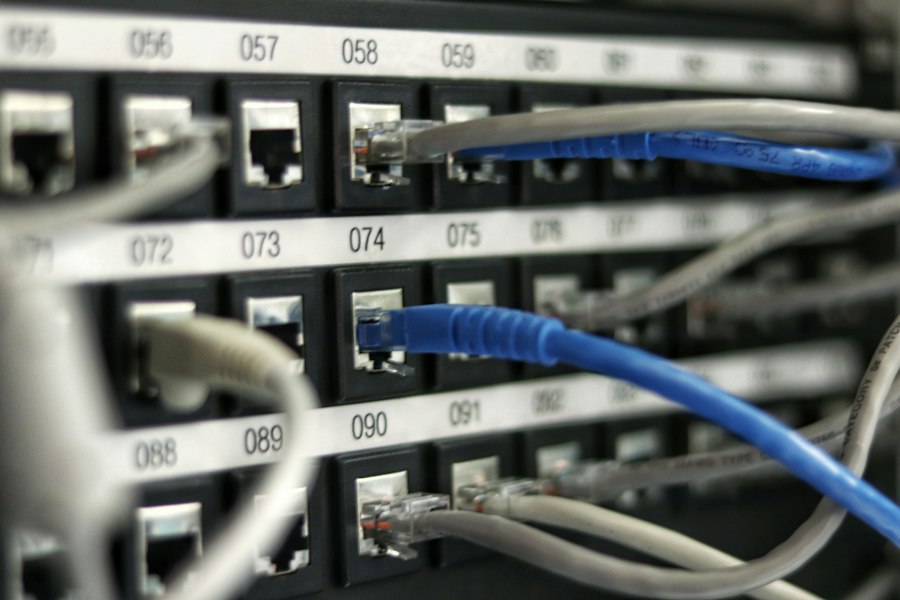
We plan every space around how it will be used. We size the display for the farthest seat, place the camera so every participant is in frame, choose microphones that cover the whole table without picking up the HVAC, and run the signal cabling inside walls, ceilings and floor boxes so the finished space looks clean. Because we are a commercial telecommunications cabling contractor first, the network side, including PoE ports, data drops and switch connections, is handled by the same crew, so your cabling and AV services come from one contractor.
We build new conference rooms in tenant improvements and new construction, and we upgrade existing systems that have outgrown a projector and speakerphone setup, including office spaces adapting to hybrid work. We work throughout Sacramento, CA and in Roseville, Folsom, Rocklin, Elk Grove, Davis and the surrounding communities.
What Our Conference Room AV Installation in Sacramento CA Includes
Every project is scoped individually. A typical scope covers the following systems and work.
Displays & Mounting
Flat panels, interactive displays and dual-display walls mounted on rated wall or ceiling mounts at the correct viewing height.
Video Conferencing Cameras
Video bars and PTZ cameras placed and aimed so the full table is in frame, with auto-framing configured where supported.
Microphones & Speakers
Ceiling array, table and boundary microphones with ceiling speakers, tuned with echo cancellation for clear two-way audio.
Table & Wall Connectivity
Table boxes, floor boxes and wall plates for HDMI, USB-C, network and power, plus wireless presentation solutions for guests.
Signal & Network Cabling
HDBaseT, HDMI, USB extension, speaker and Cat6A cabling routed in walls and ceilings and labeled at both ends.
Room Control & Scheduling
Touch panels for one-tap meeting start, display and volume control, room automation for lighting and shades, and door-side scheduling panels where requested.
Conference Room AV Systems by Room Type in Sacramento CA
The right equipment depends on size and how the space is used. These are the starting points we use to design systems during the site survey.
| Room type | Typical seats | Display | Camera & audio | Connectivity |
|---|---|---|---|---|
| Huddle space | 2–4 | Single display | All-in-one video bar | Single-cable USB-C or HDMI at the table |
| Small meeting room | 4–8 | Single large display | Video bar, optional table mic extension | Table box with HDMI, USB-C, power |
| Medium meeting room | 8–12 | Single or dual displays | Camera with ceiling or table microphones | Table box, wireless sharing, touch panel |
| Boardroom | 12–20+ | Dual displays or display wall | PTZ or multi-camera, ceiling mic arrays, DSP | Multiple table boxes, control system |
| Training or divisible room | 20+ | Multiple displays or projection | Presenter tracking camera, ceiling mics and speakers | Lectern plate, partition-aware control |
Platforms and systems we install
- Microsoft Teams Rooms
- Zoom Rooms
- Google Meet Hardware
- BYOD Rooms
- Wireless Presentation
- Dante Audio
- HDBaseT
- PoE Devices
Our Conference Room AV Installation Process in Sacramento CA
Site walk and room survey
We measure the space, check wall construction and ceiling access, note window glare and HVAC noise, and confirm how it will be used.
System design
We select display size, camera placement and microphone coverage, then lay out cable routes, wall plates, table boxes and outlet locations.
Itemized quote and schedule
You receive a line-item price for equipment, cabling, labor and programming, with a schedule built around your bookings.
Cabling and rough-in
We set backing for mounts, run signal and data cable inside walls and ceilings, and set floor boxes and plates. Power is coordinated with your electrician.
Equipment installation and setup
Displays, cameras, microphones, speakers and control panels are mounted, connected, configured for audio video calls and joined to your network.
Commissioning and training
We verify every input, tune audio, run live calls on your platform, and show your team how to start meetings and share content.
Conference Room AV Cabling & Testing Standards in Sacramento CA
Each signal path is selected for its distance and verified before handoff, so the space performs the same on day 300 as on day one.
| Signal path | Cable | Typical distance | Use | Test performed |
|---|---|---|---|---|
| HDBaseT video | Shielded Cat6A | Up to 100 m | Table or rack to display, 4K video, control and IR | Link certification + 4K signal and HDCP check |
| HDMI (passive) | Certified high-speed HDMI | Short runs, typically under 10 m | Source to nearby display or switcher | Resolution, EDID and HDCP verification |
| USB for cameras and mics | USB 2.0/3.x or USB extender over Cat6A | 5 m passive; extender per manufacturer | Camera and audio to the PC or laptop | Device detection and live call test |
| Networked audio and PoE devices | Cat6 or Cat6A | Up to 100 m | Dante microphones, DSP, PoE cameras, touch panels | Permanent link certification + PoE verification |
| Speaker lines | Plenum-rated speaker cable | Varies by gauge and load | Amplifier to ceiling speakers | Impedance check + level and coverage tuning |
Results from all low voltage testing are included in your closeout package, along with labeled drawings for future moves and changes.
Conference Room AV for Sacramento CA Facilities
Offices
Huddle spaces, meeting rooms and boardrooms for tenant improvements, relocations and workplace upgrades.
Schools
Staff meeting rooms, board chambers and training spaces completed during breaks and summer schedules.
Medical Facilities
Case review rooms and telehealth-ready spaces completed after hours with infection-control practices.
Warehouses
Shift briefing spaces and administrative areas with displays and conferencing for distribution teams.
Industrial Facilities
Control-center displays and training rooms cabled through conduit in demanding environments.
Retail
Back-of-house meeting rooms and regional training spaces for multi-location retailers.
Conference Room AV Installation FAQs in Sacramento CA
Do you work with Microsoft Teams Rooms and Zoom Rooms?
Yes. We handle certified Teams and Zoom hardware kits, as well as bring-your-own-device setups where users connect a laptop and run any conference platform. Your IT team handles licensing and accounts, and we support them with port assignments, VLAN requirements and device sign-in during commissioning.
How long does an AV installation take?
A huddle space or small meeting room is usually completed and tested in one day. Boardrooms, training spaces and divisible layouts with ceiling microphones, multiple displays or a control system typically take two to four days, depending on wall construction and ceiling access.
Can you hide the cables in an existing room?
In most spaces, yes. We fish cable inside walls and through ceilings and use floor boxes, table boxes and recessed wall plates so no wiring is visible. When a wall or slab cannot be opened, we use paintable surface raceway as a clean alternative.
Who provides power for the displays and equipment?
Many cameras, microphones and touch panels run on Power over Ethernet from the network switch. Displays and equipment racks need standard electrical outlets, which must be added by a licensed electrician. We mark the outlet locations during the site walk and coordinate with your electrician or general contractor.
What happens after the room is installed?
We test every input, run live test calls, tune microphone and speaker levels, and walk your staff through starting a meeting and sharing content. You receive a layout diagram, cable labels, equipment list and test results for your records, and our team remains available for ongoing support services.
Request a Conference Room AV Quote in Sacramento CA
Tell us how many spaces you have, how many people use them and which meeting platform you run. We will walk the site and send an itemized quote.
Ready to upgrade your meeting rooms?
Send us floor plans or photos if you have them, and we will schedule a site walk and support your planning from there.
(279) 206-4379 Request an AV Quote