
Wireless Network Cabling in Sacramento CA – Wi-Fi, DAS & Wireless Infrastructure Cabling
As a Telecommunications Contractor in Sacramento CA, we install the wired infrastructure every wireless system depends on: AP runs, pre-wired locations for future growth, optical uplinks sized for wireless traffic, and connections for cellular, bridge and IoT systems.
Wireless is only wireless for the last few feet. Behind every AP, cellular antenna and wireless bridge is a physical link that carries its data and power. If that link is undersized, too long or in the wrong place, the wireless network suffers no matter how good the equipment is. As licensed telecommunications contractors and a technology company based in Sacramento, we deliver premier network cabling services for the wired side of your wireless systems, so they have the speed, power and room to grow they need. California C-7 licensed (CSLB #[NUMBER]).
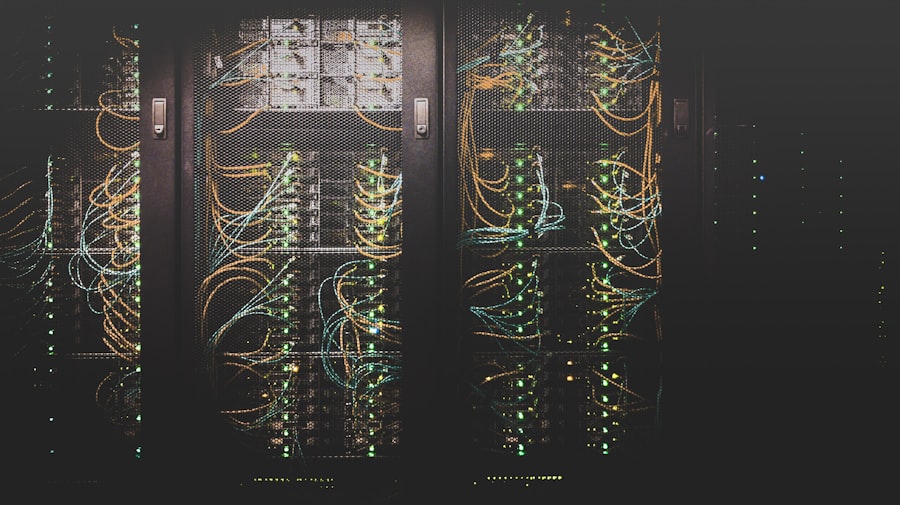
WiFi Network Cabling Services in Sacramento CA
We handle every type of wireless system found in commercial facilities, from a single office WiFi network to multi-site business campuses. For AP mounting and replacement, see Wi-Fi AP Installation.
Wi-Fi AP Wiring
Cat6A runs from the equipment room to every AP location, terminated and certified for multi-gig and PoE++.
Grid-Based Pre-Wiring
Lines pulled to a grid of ceiling locations during construction, so APs can be added or moved later without new pulls.
Fiber Uplinks & Backbone
Optical links between equipment rooms, sized for the combined traffic of every AP and device they serve.
Distributed Antenna & Booster Wiring
Coax and optical runs for in-facility cellular boosters and distributed antenna systems, coordinated with the system provider.
Point-to-Point Bridge Wiring
Outdoor-rated runs, grounding and surge protection for wireless bridges linking separate structures, gates and outbuildings.
IoT & Location System Wiring
PoE runs for IoT gateways, Bluetooth location beacons, sensor hubs and wireless controllers for facility systems.
What Each Wireless System Needs from Its Wiring in Sacramento CA
Different wireless systems need very different infrastructure. Planning them together during design avoids extra ceiling work and conflicts over pathway space.
| Wireless system | Typical media | Key considerations |
|---|---|---|
| Indoor Wi-Fi APs | Cat6A, often two runs per location | Multi-gig speed, PoE++ power, 90 m limit to the equipment room |
| Outdoor APs | Outdoor-rated Cat6A in conduit | Weatherproofing, surge protection where runs enter the structure |
| Point-to-point wireless bridges | Outdoor-rated Cat6 or Cat6A | Grounding, surge protection, mounting with clear line of sight |
| Cellular boosters and distributed antenna systems | Low-loss coax, plus optical runs for larger active systems | Plenum ratings, separate pathways, coordination with the system provider |
| IoT gateways and location beacons | Cat6 with PoE | Placement for coverage, separate network segments managed by IT |
| Uplinks between equipment rooms | Single-mode or multimode fiber | Sized for the combined traffic of all wireless devices served |
Why Grid-Based Pre-Wiring Pays Off in Sacramento CA
Wi-Fi needs change faster than facilities do. Headcount grows, a storage room becomes a conference room, or new devices demand more capacity. If runs only go to today’s AP locations, every change means opening ceilings again.
Industry guidance in TIA TSB-162-A recommends a grid-based approach: dividing the floor into cells, roughly 60 feet on a side, with a run to each cell. APs are installed where they are needed now, and the remaining locations are ready for later. It is the same forward planning behind our expert network cabling services on every project.
- Runs pulled to a planned grid during construction or remodel
- Two Cat6A runs per grid location for future APs
- Service loops left above the ceiling for small relocations
- Unused locations labeled and capped, ready to activate
- Patch panel ports reserved for each grid location
- Grid locations shown on the as-built floor plan
Data Uplinks, Distance and Switch Capacity in Sacramento CA
A facility full of fast APs can be held back by what sits behind them. Each equipment room’s switches combine the traffic of every AP they serve, and that traffic has to leave the room through an uplink to the rest of the network. A single 1 Gbps uplink can become the bottleneck for an entire floor.
Distance matters too. Every access point must be within 90 meters of cable from its switch. In large warehouses and campuses, that often means adding a remote IDF or switch fed by an optical link. Our low voltage cabling installers check every run against that limit during design. See MDF / IDF Build-Out for equipment room layout.
- Optical uplinks sized with your IT team for expected wireless load
- Spare strands for future uplink upgrades
- Every AP location checked against the 90 m limit
- Remote switches or IDFs added where distance requires
- Rack space and PoE switch ports planned for future APs
- Power and cooling in equipment rooms sized for PoE switch loads
Wireless Wiring Problems We Fix in Sacramento CA
Fast access points, slow connection
A 1 Gbps uplink from the equipment room can’t keep up. We install fiber uplinks sized for the load.
Access points too far from the switch
Runs over 90 meters cause dropouts. We add a remote switch or IDF fed by an optical link.
No cable where new APs are needed
We add pre-wired grid locations so future changes don’t require new pulls.
No cell signal indoors
Wi-Fi won’t fix it. We install the coax and antennas for a signal booster or distributed antenna system.
Wireless bridge keeps failing
Often a grounding or surge issue on the outdoor cable. We correct grounding and protection.
Crowded ceiling pathways
We plan Wi-Fi, cellular and other systems together so each one has room.
Our Wireless Infrastructure Installation Process in Sacramento CA
Review wireless systems
We list every wireless system planned for the site, from Wi-Fi to cellular, bridges and IoT.
Plan locations and pathways
AP grid locations, antenna positions and cable routes are laid out together on the floor plan.
Size uplinks and telecom rooms
We confirm distances, uplink speeds and switch capacity with your IT team.
Install copper, fiber and coax
Copper, fiber and coax are installed with the right ratings and kept in separate pathways where required.
Terminate and test
Every copper and optical link is certified, and coax runs are tested to the system provider’s requirements.
Document for the future
You receive as-builts showing every active and pre-wired location, with test results.
Wireless Infrastructure FAQs in Sacramento CA
Why does a wireless network need cabling?
Wireless only covers the last few feet between a device and an AP. Every AP is connected and powered by a run back to a switch, and those switches connect to the rest of the network through the backbone. That is why data communications cabling matters: the speed and reliability of your Wi-Fi depend on that wired infrastructure.
Should we pre-wire for access points we haven’t bought yet?
During construction or a remodel, yes. Adding runs while ceilings are open costs far less than coming back later. A grid of pre-wired locations lets you add APs as needs grow, or move them, without pulling new cable.
Will better Wi-Fi fix poor cell phone signal inside our building?
No. Wi-Fi and cellular service use separate systems. Weak cell signal indoors is solved with a cellular signal booster or distributed antenna system, which uses its own coax or optical runs and antennas. Phones can use Wi-Fi calling as a partial workaround, but that depends on each carrier and device.
Can a wireless bridge replace fiber between buildings?
Sometimes. A point-to-point wireless bridge can connect structures with clear line of sight where trenching for an optical line isn’t practical. A hard-wired optical link is generally faster and more reliable, so we often recommend a wireless bridge as a temporary link or backup rather than a permanent replacement.
How fast should the uplinks from our telecom rooms be?
It depends on how many APs and other devices each equipment room serves. A room full of multi-gig APs can easily exceed a single 1 Gbps uplink, so most new installations use optical uplinks of 10 Gbps or faster. We size uplinks with your IT team based on the expected load and recommend the right network installation approach for your business.
Request a Wireless Wiring Quote in Sacramento CA
Tell us which wireless systems you are planning, your floor plan and your construction schedule. We will plan the data cabling Sacramento businesses need for all of them together and send an itemized quote with clear solutions for each system.
Planning Wi-Fi, cellular or wireless links?
Get it right while the ceilings are open. We will make sure every wireless system has the runs, power and capacity it needs now and later.
(279) 206-4379 Request a Quote