
Wi-Fi Access Point Installation in Sacramento CA – Wireless AP Mounting & Replacement
As a Telecommunications Contractor in Sacramento CA, we get access points mounted, cabled, powered and documented correctly, whether that’s a drop ceiling in an office, a 30-foot warehouse ceiling or a pole in the parking lot.
An access point only performs as well as it is installed. Mounted sideways, behind a beam or above the tiles, even the best model will underperform. We mount access points at the exact locations in your coverage design, with the right bracket for each ceiling or wall, the right cable and PoE power behind them, and a record of every one. We also replace and upgrade existing access points with little or no downtime. California C-7 licensed (CSLB #[NUMBER]).
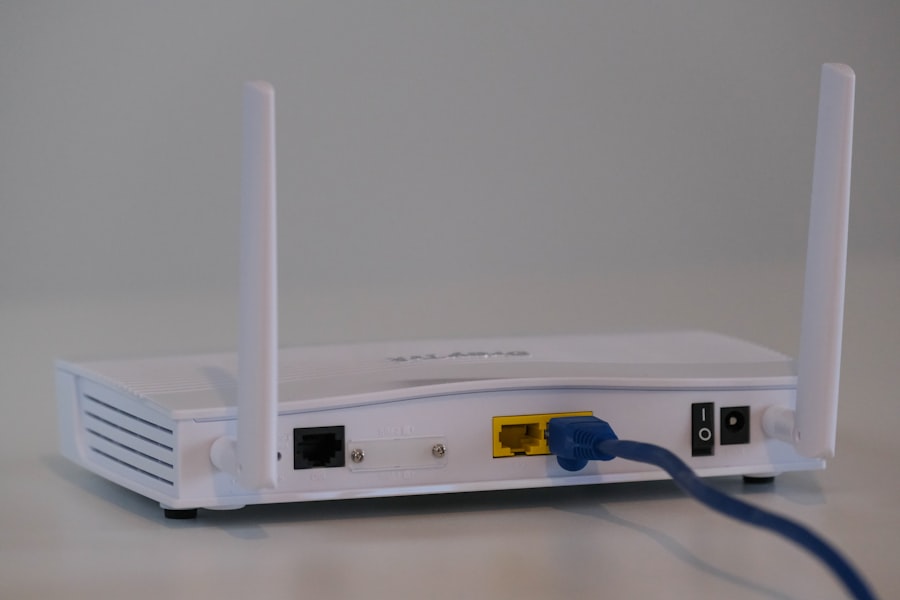
Access Point Installation Services in Sacramento CA
We work with access points from all major enterprise and cloud-managed brands, supplied by us or by your IT provider. For a pre-installation wireless site survey and coverage design, see Commercial WiFi Installation.
Indoor Ceiling & Wall APs
Access points mounted on drop ceilings, drywall ceilings and walls in offices, classrooms, clinics and stores.
High-Bay & Warehouse APs
Access points on drop rods, structure or racking ends in warehouses, gyms and manufacturing spaces.
Outdoor APs
Weather-rated access points on walls, poles and rooflines for patios, yards, parking areas and campuses.
Access Point Replacement & Upgrades
Swapping old access points for WiFi 6, 6E or 7 models, with adapter brackets and cable checks.
In-Room & Wall-Plate APs
Compact access points in dorms, hotel rooms, patient rooms and small offices, often with built-in Ethernet ports.
Secure & Enclosed Mounts
Locking mounts, tamper-resistant brackets and enclosures for schools, public areas and harsh environments.
How Access Points Are Mounted in Different Spaces in Sacramento CA
Every ceiling and wall type needs a different mounting method. Getting it right keeps the access point secure, at the correct orientation and clear of obstructions that block its signal.
| Location | Mounting method | What we watch for |
|---|---|---|
| Drop (T-bar) ceiling | Rail clip to the ceiling grid, or tile-replacement bracket for a flush look | Supported independently where required, away from lights and diffusers |
| Drywall or hard-lid ceiling | Surface mount bracket anchored to the ceiling, cable through a low voltage ring | Access to the cable for future service, clean finish |
| Wall | Wall bracket or wall-plate access point at the correct height | Orientation matched to the access point’s antenna pattern |
| Open ceiling or exposed structure | Drop rods, strut or beam clamps, often painted to match | Mounting height, clearance from beams, ducts and lighting |
| Warehouse high bay | Lowered on drop rods or mounted on racking ends with directional antennas | Coverage reaching the aisles, not just the open space above racks |
| Outdoor | Pole, wall or roofline mount with weather-rated hardware | Drip loops, sealed connections, surge protection at building entry |
Our Access Point Installation Standards in Sacramento CA
Small installation details make a big difference to coverage, speed and how easy the network is to manage. We follow the same checklist at every access point, so your IT team knows exactly what is installed where.
- Installed at the exact location shown on the coverage design
- Correct orientation for the access point’s antenna pattern
- Clear of metal beams, ducts, light fixtures and HVAC equipment
- Never hidden above ceiling tiles where it loses signal
- Secured with locking or tamper-resistant mounts where needed
- Cable service loop left for future relocation
- Access point name, switch port, serial and MAC address recorded
- Location marked on an updated floor plan
PoE Power and Cabling Behind Every Access Point in Sacramento CA
Commercial access points draw their power from the network switch through Power over Ethernet. Newer WiFi 6E and WiFi 7 models usually need PoE+ or PoE++, and they often use multi-gig uplinks that older cabling and switches can’t support.
Before installation, we check that each switch has enough PoE ports and total power budget for every access point, and that the cable to each location can carry the speed and power required. For details on cabling access points, see Cat6A Cabling Installation.
- PoE class confirmed for each access point model
- Switch PoE budget checked against the total access point load
- Multi-gig ports confirmed for access points that use them
- Existing cable tested before access points are swapped
- Cat6A installed for new access point locations
- PoE injectors only where a switch upgrade isn’t practical
Access Point Installation Problems We Fix in Sacramento CA
Access points that won’t power up
Usually a PoE budget or class mismatch. We check the switch and correct the power supply.
New APs stuck at slow speeds
Old cable or 1 Gbps switch ports hold back multi-gig access points. We test and upgrade.
APs mounted on metal beams
Metal blocks and reflects signal. We remount on drop rods or brackets clear of the structure.
Wrong orientation
Ceiling access points mounted on walls, or the reverse, lose coverage. We match mounting to the antenna pattern.
No record of where APs are
We map every access point to its location, switch port and serial number.
Stolen or tampered APs
We fit locking mounts and enclosures in public and high-traffic areas.
Our Access Point Installation & WiFi Connection Setup Process in Sacramento CA
Review design and equipment
We confirm access point models, locations, mounting types, PoE requirements and controller configuration from your coverage plan.
Check cabling and switches
Existing cable is tested and switch PoE budgets are checked, and any gaps are added to the scope.
Run cable and set mounts
New Cat6A is run where needed and brackets are installed for each ceiling or wall type.
Mount and connect
Access points are mounted, oriented, secured and connected to their switch ports.
Verify power and link
Each access point is confirmed powered and linked at the correct speed. We then work with your IT team to configure SSIDs and complete the WiFi connection setup.
Document and hand off
You receive a floor plan showing every access point with its name, port, serial and MAC address.
Access Point Installation FAQs in Sacramento CA
Can you replace our old access points with new ones?
Yes. We remove old access points, fit the new models, and use adapter brackets where the new mounts differ. Before the swap, we check that the existing cable and switch ports can deliver the speed and PoE power the new access points need, and upgrade any that can’t.
How do access points get power?
Commercial access points are powered through the network cable using Power over Ethernet, supplied by a PoE switch or, for a few locations, a PoE injector. Newer access points often need PoE+ or PoE++, so we confirm each switch has enough ports and total power budget before installation.
Can you install access points on high warehouse ceilings?
Yes. In high-bay spaces, access points are often mounted lower than the roof, on drop rods or structure, or on the ends of racking with directional antennas, so the signal reaches the floor and aisles where people work. We use lifts to reach high ceilings and follow your site’s safety requirements.
Do you install outdoor access points?
Yes. Outdoor access points are mounted on walls, poles or rooflines with weather-rated hardware, drip loops and sealed connections, and surge protection where the cable enters the building.
Will installing access points disrupt our business?
Usually very little. Access point installs and replacements are done quickly at each location, and we can work after hours or on weekends in occupied offices, clinics and stores. For replacements, we swap access points in small groups so coverage stays up during the work.
Request Access Point Installation in Sacramento CA
Tell us how many access points you need installed or replaced, the model if you know it, and the type of ceilings in your space. We will send an itemized quote, or you can schedule a free estimate or a network connectivity support appointment.
New access points or an upgrade?
Whether you are installing access points for the first time or replacing an older system, we will mount, cable and document every one so your Sacramento WiFi performs as designed.
(279) 206-4379 Request a Quote